New features specific to SaaS
This page cumulates all the new ThingPark Enterprise features brought by the different 8.1.x software releases, which are specific to SaaS (i.e. not applicable to Self-hosted deployments). See the 8.1 changelog to know more about the split of those features per maintenance release.
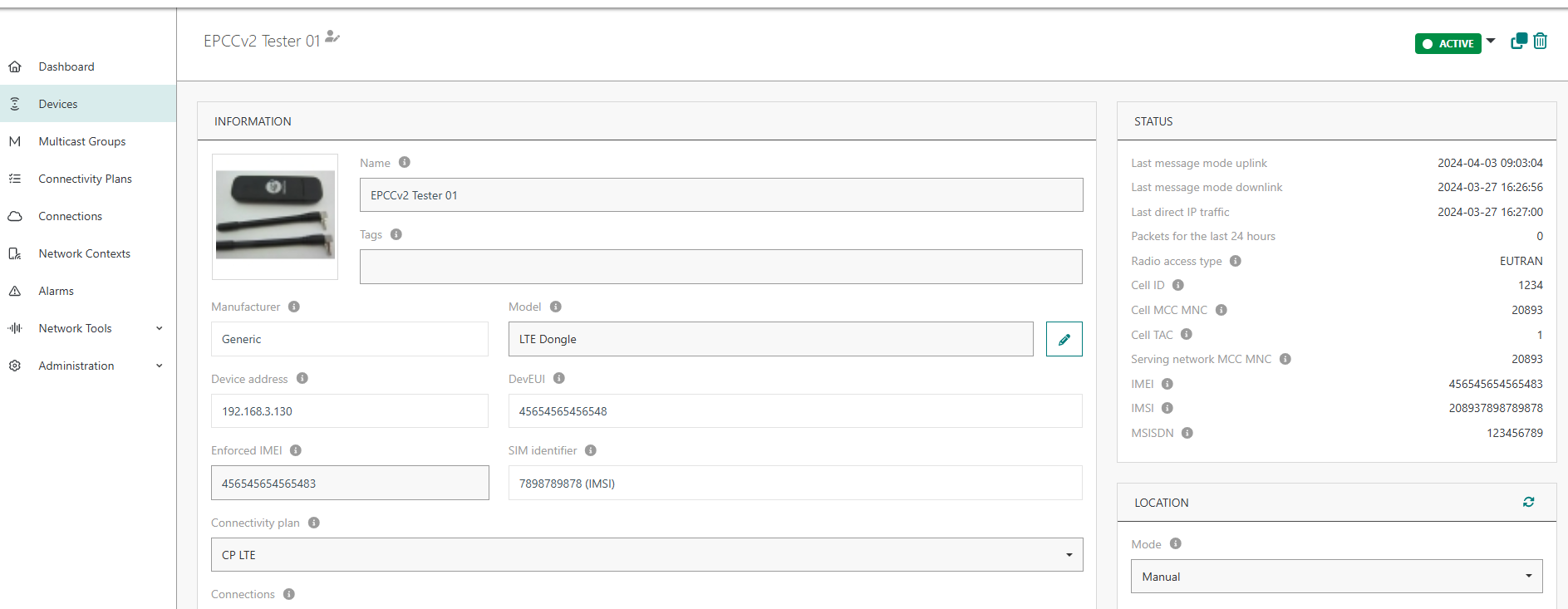
Support Cellular IoT (using NB-IoT or LTE-M) RDTP-23437
Starting release 8.1, TPE-SaaS subscribers may connect cellular IoT devices using NB-IoT and/or LTE-M technologies to their ThingPark account.
Cellular IoT uses ThingPark's Evolved Packet Core Connector (EPCC), a ThingPark add-on providing insertion into existing 3GPP mobile operator core using standard-compliant interfaces (S6a, S5/S8) and providing unified device and connectivity management for IoT devices.
More details
Key customer benefits
By integrating both the EPC Connector and LoRaWAN network server, ThingPark provides a unified interface to IoT subscribers which have both LoRaWAN and 3GPP (NB-IoT/Cat-M/LTE) based deployments.
The key benefits are:
- Single layer of device provisioning
- Unique connectivity management layer and services for all technologies
- Homogeneous interface to external Application servers
- Charging/rating capabilities specifically tailored for IoT
- Unique cost-effective licensing model to replace traditional HSS/PGW/PCRF/PCEF modules within 3GPP Core network which are too expensive for IoT use cases
- OSS/BSS APIs that can be used to pre-integrate 3rd party or legacy operator platforms
Feature activation
This feature is deactivated by default. Contact Actility if you want to leverage cellular IoT for your ThingPark Enterprise SaaS subscriptions.
Cellular devices must be associated with a Cellular Connectivity Plan in ThingPark.
Feature limitations
Not applicable.
Support Semtech UDP packet forwarder RDTP-25924
Besides LRR and Basics Station, the ThingPark core network now supports the Semtech UDP packet forwarder. This addition has been specifically made to allow migrating to ThingPark old gateway models that are only compatible with this legacy protocol, such as Sagemcom gateways.
More details
Key customer benefits
Migration of old gateways to ThingPark without changing their firmware.
Feature activation
This feature is not publicly available to all customers, it is limited to migration-specific cases. Please contact your ThingPark support team if you want to connect gateways using the UDP packet forwarder protocol.
Feature limitations
Since this feature is not available for general use, the Base Station catalog does not include any profile compatible with the UDP packet forwarder protocol.
Allow device managers to upload images and files RDTP-24677
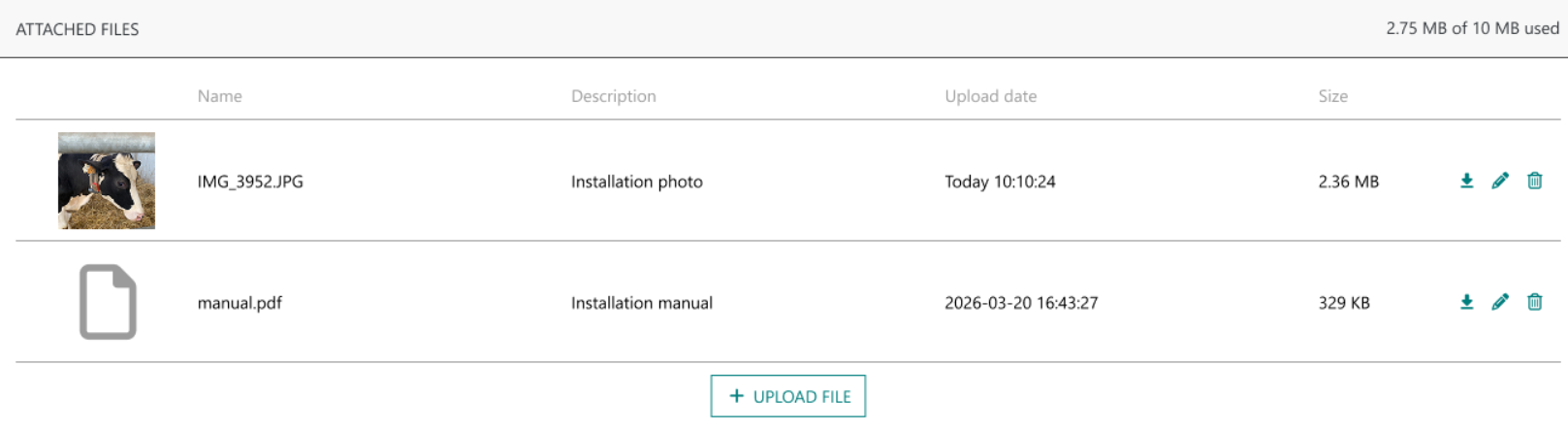
This feature allows device managers to upload images showing the installation environment of each device. Additionally, they can attach generic files such as installation reports.
The maximum size of all the attachments related to each device is 10 MB.
More details
Key customer benefits
Thanks to this feature, device managers have access to installation photos and other specific documents, helping them in their troubleshooting activities of their devices.
Feature activation
Attachments can be directly added to each device, through the user interface or the OSS-API.
Feature limitations
This feature is not available for self-hosted deployments, since the device attachments are stored in AWS S3.
The aggregated size of all attachments related to each device cannot exceed 10MB.
Extended data storage API RDTP-26184
Extended Data Storage allows ThingPark Enterprise SaaS subscribers to retain device uplink and downlink frame history for an extended period and export this historical data through the Device Manager API.
Depending on the retention period configured for the subscription, device frames can be retained for up to 3, 6 or 12 months.
This capability complements the shorter-term frame history available through the Wireless Logger and is particularly useful when historical device traffic needs to be retrieved for troubleshooting, data recovery or further analysis.
More details
Frame exports are currently available through the Device Manager API only, using:
POST /subscriptions/mine/devices/frames/exports
To learn more about this API, see the Tutorial and the Device Manager API reference.
Key customer benefits
Extended Data Storage provides access to historical device traffic beyond the standard Wireless Logger retention period.
The export can optionally be filtered by device DevEUIs, device tags and frame direction (uplink or downlink), allowing customers to retrieve only the data relevant to their needs.
Feature activation
This feature is deactivated by default and must be enabled for the ThingPark Enterprise SaaS subscription (in the Control Panel), by an administrator entitled to either the Vendor or the Operator role.
When activated, the configured retention period can be set to 3, 6 or 12 months.
Feature limitations
- The feature is available for SaaS deployments only.
- Each individual export request is limited to 7 days by default. A subscription cannot have more than one active frame export at the same time.
- Exported frames are not sorted in the generated archive.
Control TPX IoT Flow per subscription RDTP-25947
TPX IoT Flow can be enabled or disabled for each ThingPark Enterprise SaaS subscription using the Allow TPX IoT Flow switch on the subscription page in Operator Manager. It is available only when enabled for that subscription.
When the switch is off, Drivers is hidden from the subscriber's portal menu, and the subscriber cannot add TPX IoT Flow connections through the portal or the Device Manager API. Basic connections remain available.
Disabling the switch does not deactivate existing TPX IoT Flow connections. Before disabling it, use one of the subscriber's accounts to deactivate those connections in the TPX IoT Flow interface. A confirmation message appears when the switch is turned off.
Allow SSO access of Iot-Flow UI to vendors impersonating subscribers RDTP-26192
ThingPark Enterprise subscribers have direct access to the TPX IoT-Flow user interface from the TPE Portal, using Single Sign-On (SSO).
With this new feature, ThingPark Enterprise Vendors, managing several underlying subscribers, can also access TPX IoT-Flow while impersonating a subscriber. The appropriate TPX IoT Flow interface is opened in a new browser tab without requiring the user to authenticate again.
More details
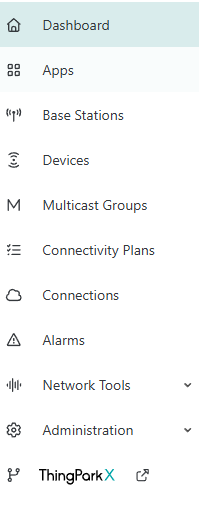
After impersonating the subscriber, the vendor can access TPX IoT-Flow UI by clicking ThingPark X at the bottom of the left panel of the Things Manager tab.
Customer benefits
This feature provides seamless access to TPX IoT Flow to TPE vendors, without requiring them to have their own user account in TPX.
Feature activation
Access to TPX IoT Flow is available when TPX IoT Flow is enabled on the subscription.
Feature limitations
Access to TPX IoT Flow is restricted to users having write permission on the Device Manager.